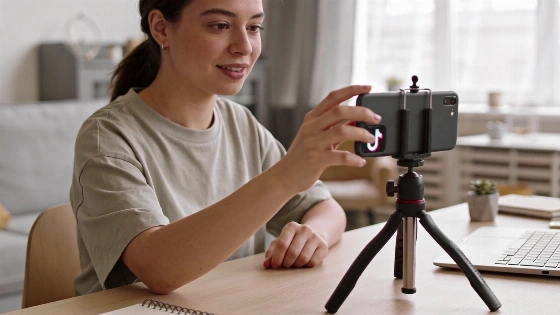
TikTok LIVE lets creators connect with viewers in real time, giving them a direct channel for engagement and audience growth. Whether answering questions, teaming up with other creators, or sharing the creative process, knowing how to access and use TikTok LIVE can help creators tap into the platform’s interactive tools.
Understanding TikTok LIVE
TikTok LIVE allows users to broadcast video content straight to their audience. Viewers can join a live session from the LIVE feed and interact through comments. This real-time feedback can help creators build stronger ties with their audience and draw in new followers. TikTok has made live and creator-led video a core part of its content strategy, as shown in its global partnership with the Women’s Tennis Association announced on November 2, 2026. In this deal, TikTok focused on "creator access" and "live moments" to engage sports fans and connect audiences with live events, according to the TikTok Newsroom.
Eligibility Requirements for TikTok LIVE
TikTok sets certain requirements for users who want to go live to keep the environment safe and moderated. These requirements can change by country, account status, and as TikTok updates its policies. Users should check the current in-app LIVE access screen or reach out to TikTok Support for the latest eligibility details. While TikTok’s promotional language highlights "live moments" and creator access, the actual eligibility rules can differ by region and user profile.
- Follower threshold: TikTok may set a minimum follower count to unlock the LIVE feature. This is similar to other platforms that reserve features for more established accounts.
- Age requirement: Users must meet TikTok’s minimum age for live broadcasting, which can be higher than the general minimum age for the platform. Age requirements vary by jurisdiction and may change.
- Gifting eligibility: Only creators who meet certain age and community standards can send and receive virtual gifts during a live session. These gifts may be converted into TikTok Diamonds, which sometimes can be exchanged for real money, depending on local rules and compliance with regulations.
Meeting these requirements unlocks TikTok LIVE and its interactive features. If you do not meet the follower or age criteria, there is another process you can try to request access.
How to Start a TikTok LIVE Broadcast
Once eligible, start a live session by tapping the LIVE icon in the top right corner of the Home tab. Before going live, set a cover photo, add a title and topic, and check out features like the LIVE Center and Promote. TikTok lets you invite up to two other participants, so you can run collaborative broadcasts or Q&A sessions with guests. The user interface and available features may look different depending on your account and region.
Requesting TikTok LIVE Access Without 1,000 Followers
Creators who have not reached the follower threshold can request access through the app’s support system. Here’s how:
- Open your Profile, go to Settings and privacy, then select Report a problem.
- Pick the option labeled "I can't start a LIVE." When asked for an explanation, select "No" to show the issue is unresolved.
- Send a message to TikTok support asking for LIVE access. For example: Hi TikTok team! My followers and I would love to interact with each other, but I don't have access to TikTok Live. Would you be able to enable it for me? Thanks! Make sure your message addresses TikTok, mentions your followers’ interest, clearly requests access, and ends with a thank you.
- Wait for a response, which may take 24 to 72 hours. If approved, you will get access to the LIVE feature.
After you receive access, you can use the same LIVE settings as other eligible users, including options to mute viewers, assign moderators, upload a LIVE intro, support nonprofits, and manage gift settings if you meet the age requirement.
Ideas for Engaging TikTok LIVE Sessions
Once live, you can shape your session in many ways. Here are some approaches to try:
- Live Q&A: Use the Q&A feature to organize and answer viewer questions, creating a conversational setting.
- Collaborations: Invite another creator or viewer to join your broadcast. This can introduce your audience to new perspectives and help you reach new communities.
- Showcase your usual content: Stick with the type of content your followers expect, whether it’s cooking, creative demonstrations, or other activities. Interact with viewers as you stream.
- Extend previous TikTok videos: Use LIVE to continue a story or topic from a previous video, letting viewers follow along in real time.
All live content must follow TikTok’s Community Guidelines. The LIVE format gives creators room to try different ways to engage their audience and create content. TikTok’s ongoing partnerships, including the collaboration with the Women’s Tennis Association, show the platform’s focus on expanding live and creator-led experiences for audiences worldwide, as highlighted in the official newsroom announcement dated November 2, 2026.