
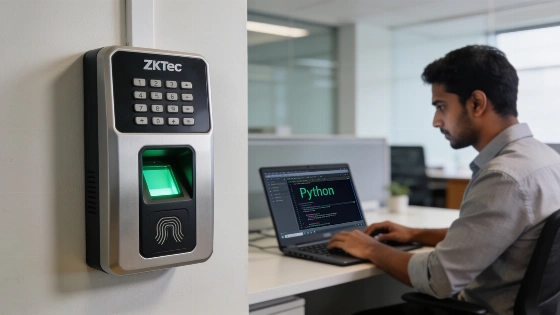
Developers working to connect ZKTeco biometric terminals with enterprise systems quickly run into undocumented protocols and firmware surprises. Many teams begin with legacy TCP polling on port 4370, but this method demands static LAN IPs or VPNs at each location and fails behind NAT firewalls or cellular modems. Batch polling also slows things down, with attendance logs sometimes taking up to an hour to reach payroll. ZKTeco has not released official technical documentation on the ADMS architecture, its development history, or how ADMS relates to legacy TCP communication on port 4370. Terms like “ADMS” (Automatic Data Master Server) and endpoint naming conventions do not appear in any official ZKTeco manual or technical bulletin. No manufacturer source confirms a timeline, deployment milestone, or firmware history for these features.
How ADMS HTTP Push Changes Device Integration
Recent ZKTeco firmware includes an outbound cloud sync feature called ADMS (Automatic Data Master Server). Instead of polling, the server receives real-time HTTP POST requests from the terminals. This outbound push model removes the need for inbound firewall rules and delivers attendance punches to the server within seconds. Devices store records locally if the network drops, then send the backlog when connectivity returns. The technical details of this protocol—such as which models, firmware versions, or product families support endpoints like /iclock/getrequest—are not described in any official protocol specification, SDK reference, or engineering notice. Request methods, response formats, authentication, retry logic, and device buffering limits remain undocumented by ZKTeco's technical documentation team.
Addressing the UTC+8 Timezone Bug
One persistent problem with ZKTeco ADMS integration is a firmware bug tied to time synchronization. When a device sends a heartbeat GET request to /iclock/getrequest, it expects the HTTP Date header in GMT/UTC, following RFC 7231. The firmware then parses this header and adds eight hours, assuming the server runs in China Standard Time (UTC+8). This action overrides any manual timezone setting on the device, causing the clock to jump forward or backward depending on the server's actual location. For instance, in India or Sri Lanka (UTC+5:30), the device clock shifts by 2.5 hours. ZKTeco has not published any bug report, release note, or reproducible test record confirming this behavior or listing affected firmware versions. The workaround here is not an official manufacturer fix.
To address this, the server needs to shift the Date header backward by the difference between the device's factory offset and the target local offset. In Python Flask, this can be handled with an @app.after_request middleware that adjusts the Date header:
from datetime import datetime, timedelta, timezone
from email.utils import formatdate
from flask import Flask, Response, request

app = Flask(__name__)

DEVICE_UTC_OFFSET = 8.0 # Factory hardware default
SERVER_UTC_OFFSET = 5.5 # Target timezone (e.g., UTC+5:30)

@app.after_request
def fix_date_header(response: Response) -> Response:
    """Compensate for the hardcoded UTC+8 firmware bug."""
    shift_hours = DEVICE_UTC_OFFSET - SERVER_UTC_OFFSET
    adjusted_utc = datetime.now(timezone.utc) - timedelta(hours=shift_hours)
    response.headers["Date"] = formatdate(adjusted_utc.timestamp(), usegmt=True)
    return response
This adjustment makes sure that when the device adds its factory offset, the resulting time matches the local timezone.
Preventing Infinite Retransmission Loops
Another major issue comes up when handling attendance data sent to /iclock/cdata?table=ATTLOG. If the server replies with a standard 200 OK or a generic success message, the device never marks the transmission as complete. It keeps resending the same batch of punches every heartbeat interval, which eventually fills network buffers and creates duplicate records.
The fix is to reply with the exact format the firmware expects: OK: n, where n is the number of records received. For example, if two punches arrive, the server must reply with OK: 2. This acknowledgment lets the device clear processed records and continue normal operation. In Python Flask, this can be implemented as follows:
@app.route("/iclock/cdata", methods=["POST"])
def receive_attendance_data():
    table = request.args.get("table", "").upper()
    if table != "ATTLOG":
        return Response("OK", mimetype="text/plain")
    raw_body = request.data.decode("utf-8", errors="replace")
    records = parse_attlog(raw_body)  # Save to database and deduplicate
    inserted, duplicates = save_punches(records)
    return Response(f"OK: {len(records)}", mimetype="text/plain")
Open-Source Python Implementation
To help developers avoid these problems, a full production-ready Python server implementation is available on GitHub at https://github.com/Ockersz/zkteco-adms-server. This project features:
- Default SQLite support for quick setup and optional MySQL integration.
- Configurable timezone middleware with per-device overrides.
- Heartbeat and handshake endpoints for /iclock/cdata and /iclock/getrequest.
- Async webhook forwarding to ERP or payroll APIs.
- Legacy TCP polling fallback for older terminals.
- Production templates for Linux systemd and nginx reverse proxy.
Quick Device Setup Guide
- Log in as Administrator on the ZKTeco device.
- Go to Comm. > Cloud Server Setting (or ADMS / Web Server).
- Set Server Address to your server's IP or domain.
- Set Server Port to 8080.
- Enable domain name usage if using a hostname.
- Save and reboot the device. A cloud icon should appear when connected.
Practical Takeaways for Developers
Knowing the undocumented behaviors of ZKTeco ADMS devices is key for reliable real-time attendance integration. By adjusting for the firmware's timezone handling and sending the correct acknowledgment format, developers can keep operations stable and data flowing accurately between biometric terminals and enterprise systems. For a full implementation and more details, see the project's GitHub repository or reach out to the maintainer on LinkedIn.
No government, data-protection authority, cybersecurity regulator, court, or standards agency has published material on ZKTeco ADMS deployments, biometric attendance data, or the use of cloud-connected ZKTeco terminals. Any compliance review should separate device communications from the legal requirements for biometric identifiers, employee monitoring, cross-border transfers, retention, and processor security. The current status of ADMS support across ZKTeco’s product line, the resolution of the timezone issue, and firmware release corrections are not confirmed in any vendor advisory, changelog, or support notice. For any reproducible claim, model number, firmware build, server implementation, and test date should be documented.