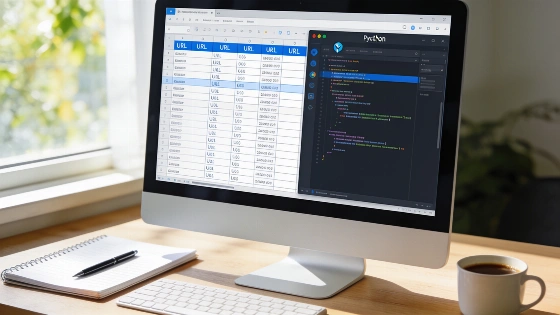
Moving an online store from WooCommerce to Shopify brings a major technical hurdle: making sure every legacy URL lands on the right new page. If old product, category, or blog URLs break, search rankings and customer links can vanish. This guide details how to automate a full redirect map with Python, so your migration keeps both traffic and SEO intact.
Why Redirects Matter in Store Migrations
Shopify and WooCommerce structure URLs differently. Shopify uses set paths: products go under /products/, collections under /collections/, pages under /pages/, and blog posts under /blogs/news/ by default. WooCommerce URLs are often customized and may include nested categories or tags. Without a redirect plan, nearly every product and category URL changes, which can sharply cut organic traffic and confuse customers.
Google’s official migration guidance treats a platform move with changed URLs as a site move that needs a structured redirect plan. Redirect mapping should finish before launch and get monitored after deployment, rather than being patched up later. Google’s documentation also points to redirects as the way to send users and crawlers from old URLs to their new locations (Google Search documentation).
Collecting All Legacy URLs
To build a solid redirect map, gather a full list of every URL that ever got traffic or backlinks. A product export alone misses key pages. Instead, use two sources:
- The WordPress sitemap, usually at /wp-sitemap.xml or made by your SEO plugin.
- A Search Console export of all pages that got clicks in the past year.
- Top pages from your backlink analysis tool, if you have one.
Google defines a sitemap as a file that gives search engines info about a site’s pages, videos, and other files, plus how those resources relate. Sitemaps help crawlers find URLs more efficiently, especially on bigger or more complex sites, but don’t guarantee crawling or indexing. Google’s documentation says, “A sitemap helps search engines discover URLs on your site, but it doesn't guarantee that all the items in your sitemap will be crawled and indexed.” (Google Search Central). For WooCommerce-to-Shopify moves, using the legacy WordPress sitemap as one input to URL discovery is recommended, while separately checking links, redirects, and indexability. Google also notes that well-linked pages can usually be found without a sitemap, but most sites still benefit from having one.
Combining a WordPress sitemap with Search Console landing-page data and backlink data fits Google’s broader discovery model. The final list should be deduplicated, normalized, sorted by content type, and checked against the Shopify catalog before publishing redirects.
Put these URLs into a single text file, one per line. Duplicates are fine, since the mapping script will handle them.
Mapping WooCommerce URLs to Shopify
With your old URLs ready, use a Python script to automate mapping. The script checks each path and applies rules based on WooCommerce’s default URL bases. For example, /product/blue-hoodie/ becomes /products/blue-hoodie. /product-category/clothing/hoodies/ is flattened to /collections/hoodies because Shopify doesn’t support nested collections in URLs. Blog posts with date-based URLs redirect to /blogs/news/ plus the post slug.
Google’s SEO guidance says to redirect non-preferred or duplicate URLs to the one that best represents the content. This matters during migrations because multiple legacy forms—like trailing-slash variants, alternate category paths, tracking variants, or old product URLs—can point to the same item. A redirect map should normalize duplicate legacy addresses instead of creating several competing destinations. If a redirect can’t be set up, Google points to the canonical link element as an alternative, though canonicalization doesn’t replace user-facing navigation.
Here is the core logic of the mapping function:
def map_path(path: str):
    parts = [p for p in path.strip("/").split("/") if p]
    if not parts:
        return None, "homepage: no redirect needed"
    if parts[0] == PRODUCT_BASE and len(parts) >= 2:
        return f"/products/{parts[-1]}", "product"
    if parts[0] == CATEGORY_BASE and len(parts) >= 2:
        return f"/collections/{parts[-1]}", "category (flattened)"
    if parts[0] == TAG_BASE and len(parts) >= 2:
        return f"/collections/{parts[-1]}", "tag -> check collection exists"
    if parts[0] in ("shop", "cart", "checkout", "my-account"):
        return None, "reserved on Shopify: link to /collections/all instead"
    m = DATE_POST.match(path)
    if m:
        return f"/blogs/{BLOG_HANDLE}/{m.group(2)}", "dated post"
    if len(parts) == 1:
        return f"/pages/{parts[0]}", "page or undated post -> check"
    return None, "unmatched: map by hand"
To run the script, use the command:
python3 woo_redirects.py old-urls.txt redirects.csv review.csv
The script creates two files: redirects.csv for direct import into Shopify’s bulk redirect tool, and review.csv for URLs that need manual review.
Handling Edge Cases and Manual Review
Some URLs can’t be mapped automatically. Tag archives only redirect cleanly if you make a matching collection in Shopify. Single-segment URLs like /about-us/ might be a page or a blog post, so check them against your WordPress export. Shopify reserves certain paths such as /shop, /cart, and /apps, which can’t be redirected. If a product slug changed during migration, the script’s guess may not match the new URL, so keeping slugs consistent makes things easier.
Google says that website organization can affect crawling when a site has more than a few thousand URLs. Grouping related content in directories can help Google understand how often different sections change. This matters for stores whose WooCommerce URLs use nested categories or custom permalink bases, since a migration can change the directory structure even if the product content stays similar. A redirect-generation script should keep one-to-one mappings where possible and separately flag category, tag, pagination, and parameterized URLs for review (Google SEO Starter Guide).
Importing Redirects and Testing
Shopify’s redirect import is under Content > Menus > URL redirects. The platform allows up to 100,000 redirects per store. A redirect only works if the old URL doesn’t exist as a live page on Shopify. Reserved paths can’t be redirected. Before switching your domain to Shopify, test each redirect on the preview domain to confirm a 301 status and the right target. After launch, monitor Search Console for new 404 errors and fix any missed URLs quickly.
Google’s crawler guidance says robots.txt controls whether automated crawlers may access URLs, but it isn’t a reliable way to remove pages from search results. A URL blocked by robots.txt can still be found and indexed if other sites link to it. During a WooCommerce-to-Shopify migration, blocking old paths in robots.txt can stop crawlers from seeing redirect responses and weaken the migration’s signals. Redirect endpoints should stay crawlable long enough for search engines to process the migration, while pages that must be excluded should use noindex, removal, authentication, or other supported controls.
Google’s documentation describes sitemaps as helping crawl discovery but makes clear what they can guarantee. A successful migration isn’t measured just by whether the new Shopify sitemap is submitted or accepted. Post-launch checks should include redirect status codes, destination relevance, coverage of high-value legacy URLs, crawl errors, indexing signals, and organic landing-page performance. The official guidance supports a layered approach where redirects, internal links, canonical signals, sitemaps, and monitoring work together instead of relying on a single automated script.
Frequently Asked Questions
- Redirecting all URLs to the homepage does not help SEO. Each old URL should point to its closest equivalent to keep ranking signals.
- Query strings like ?add-to-cart=123 are not indexed and should be left out of the redirect list. Shopify matches redirects by path only.
- Customer passwords do not transfer between platforms. Shopify uses email-based sign-in with one-time codes, so notify customers before launch.
- Keep the WooCommerce site online until Shopify finishes importing products and images, since the import process pulls images from the original URLs.
For more Python-based automation in e-commerce workflows, see the retail data transformation guide for further practical examples.