Listing technical skills like SQL, Python, Microsoft Excel, Tableau, and Power BI on a resume does not guarantee applicant tracking systems (ATS) will recognize them. How these skills appear on the page can decide if a resume gets parsed or missed in recruiter searches. ATS software is standard for hiring teams to collect and filter applications before or during recruiter review. These systems compare resume text with job-posting requirements, including skills, keywords, job titles, and education. Each ATS product scans and filters differently, so a format that works in one system may not in another. Building a data analyst resume with plain, searchable text instead of relying on visual design helps with compatibility (Jobscan ATS Resume Checker).
Why ATS Parsing Fails for Analyst Resumes
Applicant tracking systems break resumes into structured fields such as contact details, job titles, employers, dates, education, and a skills list. Recruiters search these fields using keywords from job postings, including terms like SQL, Power BI, data visualization, or A/B testing. Several formatting choices can block these keywords from being detected:
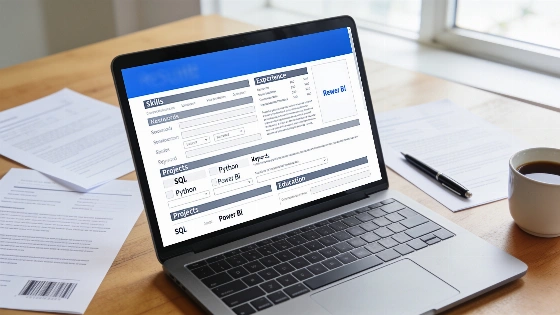
- Two-column layouts and graphic sidebars: Many ATS parsers read resumes left to right, which can merge skills like SQL with unrelated details such as phone numbers or dates. This may scramble the skills section or leave it empty. Jobscan points out that tables, columns, graphics, headers, and footers are formatting elements applicants should avoid for ATS compatibility.
- Skill rating bars: Visual indicators, such as dot ratings for Python, are often ignored or misread by parsers. This can result in missing or incomplete skill recognition.
- Abbreviations and nicknames: Using terms like PBI instead of Power BI or GSheets instead of Google Sheets can cause the ATS to miss these skills in recruiter searches. Jobscan suggests using both long-form and acronym versions of relevant terms, such as "Power BI (PBI)" or "Google Sheets (GSheets)", and making sure the full wording appears at least once.
- Skills without context: Listing tools only in a skills section, without mentioning them in experience bullets, reduces their impact. Some ATS setups weigh skills more heavily when they appear in dated experience entries.
- Unstructured projects: Portfolio projects that lack a clear title, dates, and a link may be parsed as unconnected text, making it harder for the ATS to treat them as valid experience.
How Major ATS Platforms Handle Analyst Skills
ATS platforms behave differently depending on employer settings and parsing technology. Each system offers its own mix of features, so a resume that parses well in one ATS may not in another. Here are general patterns for several popular systems:
PlatformTypical Skill HandlingCommon RisksRecommended ApproachWorkday | Parses work history into editable blocks; skills may be suggested from a fixed list | Tool names may be mapped to internal skill names or dropped if unrecognized | Review the auto-filled skills and manually add any missing tools
Greenhouse | Keeps resume text searchable for recruiters | Abbreviations like PBI may not match searches for Power BI | Use full tool names and, if needed, include abbreviations in brackets
Lever | Builds a profile from parsed text and links | Portfolio links inside images or headers may be lost | Place GitHub or portfolio URLs as plain text in the header
iCIMS | Extracts structured fields and keyword matches | Sidebar layouts can disrupt the skills section | Use a single-column format with a plain Skills heading
Taleo | Older parsing sensitive to formatting | Tables, text boxes, and icons may drop content | Stick to plain text bullets and standard fonts
For any ATS, matching the exact tool names from the job posting is the safest move. Jobscan notes that ATS screening can assess hard skills, soft skills, and keywords from a specific job listing. For a data analyst resume, this means terms such as SQL, Python, Excel, Power BI, Tableau, data visualization, and A/B testing should be chosen to match each target vacancy's wording, not copied into every application without adjustment. For more on tailoring your resume to job descriptions, see this earlier breakdown.
Examples of ATS-Optimized Resume Sections
Here are practical rewrites showing how to present skills and experience for better ATS parsing:
- Skills section:
Instead of: Tools: PBI, Tab, Py, Excel (advanced), GSheets
Use: Skills: SQL (PostgreSQL, MySQL), Python (pandas, NumPy), Microsoft Excel (Power Query, PivotTables), Power BI, Tableau, Google Sheets, A/B testing, data cleaning - Experience bullet:
Instead of: Worked with data to help the team make decisions.
Use: Wrote SQL queries in PostgreSQL to join order and refund tables, and built a Power BI dashboard the operations team used in weekly reviews to track refund reasons by product line. - Portfolio project (for beginners):
Instead of: Did a COVID dashboard project in Tableau.
Use: Public Transit Ridership Analysis — Personal project, Mar 2026 – Apr 2026. Cleaned a public ridership dataset in Python (pandas), modeled it in SQLite and published a Tableau Public dashboard comparing weekday and weekend demand by route. Link: github.com/yourname/transit-analysis - Job title:
Instead of: Analyst
Use: Data Analyst or Business Intelligence Analyst if that matches your actual role
Checklist for ATS-Friendly Data Analyst Resumes
- Use a single-column layout without text boxes, icons, or skill bars. Jobscan recommends chronological or hybrid resume formats and advises applicants not to use tables, columns, or graphics, as visual organization may not translate cleanly into the structured text fields used by ATS software.
- Apply standard headings such as Summary, Skills, Experience, Projects, Education, and Certifications. A conventional structure with standard section headings, readable typography, and linear content reduces the risk that skills or employment details will be misclassified.
- Write every tool by its full official name at least once. Use both long-form and acronym versions where appropriate.
- Include core tools from the job post in both the Skills section and at least one experience bullet. Jobscan matches hard skills, soft skills, and keywords from the job listing to your resume.
- Provide month-year start and end dates for every role and project.
- Use job titles that include a function word, such as Data, Business Intelligence, Reporting, or Product.
- List portfolio and GitHub links as plain text, not hidden behind icons.
- Ensure each bullet names a tool, the data or task, and who used the result.
- Only include numbers you can explain in an interview.
- Export your resume as a text-based PDF or DOCX and check the parsed output before applying. Jobscan reports that its tests found some ATS platforms parse Microsoft Word DOCX resumes more accurately than PDF files, while also advising applicants to follow the employer’s stated instructions. Applicants should check the vacancy’s upload requirements before converting a resume, because file-format instructions from the employer take precedence.
Tips for Skill Ordering and Project Listings
When choosing whether to list SQL or Python first, put the tool highlighted in the job posting at the top. Most analyst roles focus on SQL, so it often leads. Skill rating bars do little for ATS parsing; a plain list with sub-tools in parentheses is clearer. If Excel is required, specify features like Power Query, PivotTables, XLOOKUP, or VBA. For Kaggle or personal projects, use a Projects heading, include a title, type label, month-year dates, tools used, and a plain-text link. Both Power BI and Microsoft Power BI are recognized by most searches, but match the job post's form at least once. Plain-text URLs for Tableau Public or GitHub usually survive parsing, while links hidden behind icons or graphics may not. Tailoring each resume to the individual job posting, rather than using one static skills list, is emphasized in current ATS-oriented guidance.
Resume Differences for Beginners and Experienced Analysts
SectionFresher / Career SwitcherAnalyst with 3+ YearsTop of page | Short summary naming target role and core tools | Summary naming domain (retail, fintech, health) and scale of data
Experience | Internships, part-time roles, projects as dated entries | Paid roles first; projects only if they show a new skill
Skills proof | Projects with links and datasets | Bullets that show ownership: pipelines, dashboards, stakeholders
Certifications | Useful if recent and relevant to the posting | Keep only ones the job asks for
Length | One page | One to two pages
Making Your Resume Parseable and Searchable
To boost your resume's visibility in ATS and recruiter searches, focus on clarity and structure. Use a single-column format, standard headings, and full tool names. Repeat important skills in both the Skills section and experience bullets, always providing context and results. For each project, include a title, dates, and a one-line outcome. Before submitting, run your resume through a parser preview tool to check how it is read and ensure all critical keywords are captured. No government regulation, court decision, or public-sector enforcement action sets a universal ATS resume-parsing standard; compatibility recommendations come from product guidance and testing, and ATS configurations can differ across organizations.