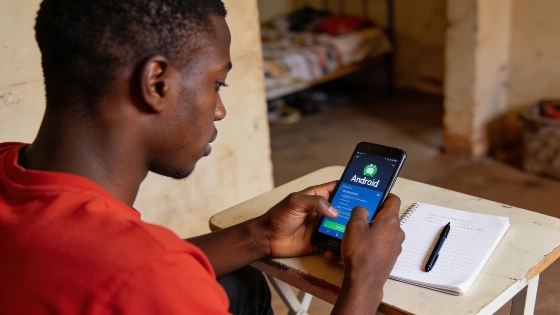
Many new programmers start out by tackling small projects that address everyday needs. For beginners, a Todo app offers a hands-on way to practice programming basics, file operations, and command-line work. This article details how a Python developer built a working Todo app entirely on an Android device with Pydroid 3, skipping the need for a laptop or desktop.
Why Build a Todo App on Android?
Developers sometimes run into hardware limits or want to code while away from home. Android devices paired with tools like Pydroid 3 let users write and test Python code without a standard computer. Pydroid 3 is a Python IDE for Android that comes with scientific libraries such as NumPy and SciPy, and supports offline code completion. Its console shows stack traces, which helps when debugging command-line apps or sorting out file and JSON issues. This setup works well for learners who want to build real projects while traveling or when a laptop isn't available. Independent Android-Python guides point out that these mobile setups let users write, run, and debug scripts right on their phones or tablets (Pydroid 3 Android coding guide).
Project Overview and Tech Stack
The Todo app here is a command-line interface (CLI) program written in Python. It uses file handling to keep track of tasks, so users can add, mark as done, delete, and view their lists. The main tools are:
- Python for the core logic
- Pydroid 3 as the Python IDE on Android
- File handling with JSON for saving tasks
Python’s built-in json module converts between Python objects and JSON, making it a good fit for simple persistent storage in beginner projects. The main functions are json.dump() and json.dumps() for writing data, and json.load() and json.loads() for reading it back. This lets the app save tasks to a local tasks.json file, which is a practical alternative to a database for a basic CLI project (official Python JSON documentation).
Key Features
- Add new tasks with a description
- Mark tasks as completed
- Delete tasks from the list
- Display all current tasks with their status and creation date
Sample Code Implementation
The code below shows the main structure of the Todo app. It uses a class to manage tasks, load and save them to a JSON file, and handle basic operations:
import json
import os
from datetime import datetime

class TodoApp:
    def __init__(self):
        self.tasks = []
        self.file = "tasks.json"
        self.load_tasks()

    def load_tasks(self):
        if os.path.exists(self.file):
            with open(self.file, "r") as f:
                self.tasks = json.load(f)

    def save_tasks(self):
        with open(self.file, "w") as f:
            json.dump(self.tasks, f, indent=2)

    def add_task(self, task):
        date = datetime.now().strftime("%Y-%m-%d")
        self.tasks.append({"task": task, "done": False, "date": date})
        self.save_tasks()

    def show_tasks(self):
        for i, t in enumerate(self.tasks, 1):
            status = "✓" if t["done"] else " "
            print(f"{i}. [{status}] {t['task']} - {t['date']}")
This setup lets users manage their tasks from the command line, making it a useful exercise in Python and basic software design. The io.open() interface in Python opens files by name and lets you pick read or write modes, which works on both desktop and mobile. On Android, the file location and permissions depend on the app’s storage model, so developers should know that full access to all device folders isn’t always possible (Python file handling documentation).
Learning Benefits and Practical Skills
Building a Todo app this way helps beginners learn how to organize a Python project, handle data persistence with files, and make a simple terminal interface. It also shows that mobile devices can be real development platforms for learning and trying out ideas. Using JSON for storage introduces serialization and deserialization, and points out the need to handle bad or incomplete data, since json.load() will throw a ValueError if the input isn’t valid JSON. This gives learners hands-on experience with debugging and error handling that matters in real programming.
Related Learning Resources
Readers who want to package Python projects for sharing or try more advanced workflows can check out the earlier breakdown on making self-contained Python apps on Ubuntu for more context and practical advice.
About the Developer
Wisdom Akpan, a Python developer from Akwa Ibom State, built this Todo app project. He learned programming in Lagos and focused on practical CLI apps using Pydroid 3. This project shows how programming is now within reach for those working entirely on mobile devices.
Contact: wisdomakpan.dev@gmail.com