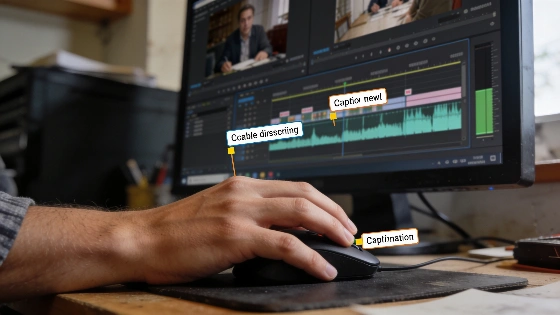
Editing a video tutorial often means shifting narration timing so viewers can better follow the process. When a narration line moves later in the timeline, its caption cue might stay put, which throws captions out of sync with the audio. This mismatch can trip up viewers and muddle your instructional message. Caption synchronization goes beyond editorial choice—regulations like the FCC’s caption-quality standards in the United States demand accuracy, synchronicity, completeness, and proper placement for accessible media. That makes precise timing a compliance issue for educational and public-facing content (FCC caption-quality standards).
Why Caption Timing Matters in Tutorials
When captions are timed right, viewers reading along can keep pace with spoken instructions without losing focus. Even a slight mismatch between narration and caption can break the flow, especially in step-by-step tutorials where timing is critical. BBC subtitle guidelines state that subtitles should pop up as soon as the speaker starts and disappear just after they finish. The minimum on-screen time is one second, and a two-line block usually stays up for six to seven seconds. Subtitles that trail the audio are flagged as major errors, while a lead-in of up to two frames might pass muster (BBC subtitle timing guidance).
Using Python to Flag Misaligned Caption Cues
A short Python script can help spot these problems by checking if each caption cue starts at the right moment compared to its narration. The script lines up the start time of each spoken line with its caption and flags cues that drift outside a small tolerance window. This method fits formats like WebVTT, a plain-text timed-text format for captions and subtitles in HTML video. Each cue in WebVTT has a start timestamp, an end timestamp, and caption text. WebVTT timestamps use a period before milliseconds (e.g., 00:01.000 --> 00:04.500). If you edit the timeline but don’t update cue timestamps, you can end up with sync problems (WebVTT technical overview).
from dataclasses import dataclass
from decimal import Decimal

@dataclass
class Cue:
    label: str
    voice_start: Decimal
    caption_start: Decimal

cues = [
    Cue("setup", Decimal("8.45"), Decimal("8.45")),
    Cue("result", Decimal("10.60"), Decimal("10.15")),
    Cue("next", Decimal("12.20"), Decimal("12.20")),
]

tolerance = Decimal("0.05")

for cue in cues:
    offset = cue.caption_start - cue.voice_start
    if abs(offset) <= tolerance:
        continue
    direction = "late" if offset > 0 else "early"
    print(f"{cue.label}: caption starts {abs(offset):.2f}s {direction}")
This script runs on Python 3.10 or newer. It prints a message for each cue where the caption start time is more than 0.05 seconds early or late compared to the narration. For instance, if a caption shows up 0.45 seconds before the spoken line, the output will be:
result: caption starts 0.45s early
How to Use the Script in Your Workflow
After you edit the timeline, enter the updated times for the changed narration line and its neighbors into the cues list. Run the script to check for cues that are now out of sync. If the script flags a misaligned caption, fix its timing in your video editor and run the check again. Then play back the exported video to make sure the action is visible and the audio lines up.
This method helps keep tutorials accessible and clear by making sure captions stay in step with narration. The script’s 0.05-second tolerance is a workflow quality-control rule, not a universal WebVTT requirement. WebVTT records timestamps but doesn’t set a single dialogue offset for every production. The timed-text model tracks instants as integer milliseconds from the start of the media, so you can compare voice and caption positions precisely. A solid workflow should also check for structural problems in caption files, like cues whose end comes before their start or broken timing lines. These issues can crop up after timeline edits and affect both accessibility and playback (timed-text validation rules).
For educators and content creators, keeping captions in sync is about user experience and meeting platform and regulatory demands. Roku’s developer documentation, for example, says captions must be "conformed and synced"—time-aligned and checked to match the final program cut exactly. Sidecar subtitle files need review after any narration or picture edits. The FCC’s standards, adopted in February 2014, formally list synchronization as a key quality factor for closed captions. These rules matter most for educational videos, online courses, and digital learning platforms that reach broad and global audiences.
For more hands-on Python video editing tips, check the related guide on spotting narration and source audio overlap.