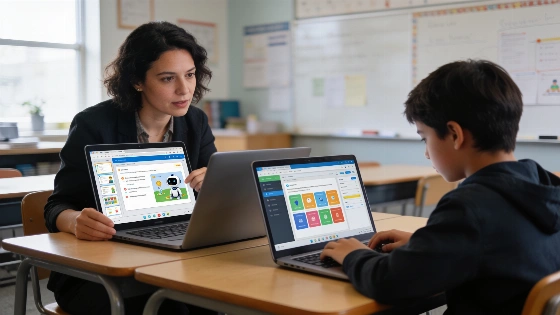
Teachers looking to simplify lesson planning and adjust resources for different student needs increasingly use AI-powered platforms such as Tutor AI. This tool is described as an AI-powered learning platform that generates courses, lessons, quizzes, and study materials from a learner’s topic or goal. It covers academic subjects, languages, professional skills, and personal development. Students move through material at their own speed. Teachers get educator-facing tools to generate lesson plans and assessments and share courses, with the option to edit those materials for curriculum fit.
Understanding Tutor AI's Approach
Tutor AI aims to create learning experiences that match each learner's interests, goals, and prior knowledge. The platform claims it can build courses on a wide range of subjects "in seconds," including lessons and supporting materials. Teachers use Tutor AI to generate and adapt lessons, while students access AI-created courses and quizzes for independent study. The system includes a homework helper that gives step-by-step explanations, helping students work through tough questions. However, the product description does not independently verify the underlying model, training data, instructional design, or accuracy controls, and no outside evidence has established learning gains directly linked to Tutor AI.
How Tutor AI Generates Courses and Materials
Users start by selecting a topic or learning goal. Tutor AI then builds a course with lessons, quizzes, and supporting materials tailored to that input. Unlike traditional classroom sequences, the platform lets learners move at their own pace. For educators, the AI for Educators service provides tools to create lesson plans and assessments and share courses. Teachers can edit generated content to fit curriculum requirements and track student progress through a dashboard. The option to upload or select existing documents allows trusted resources to be used alongside AI-generated materials. The platform describes quizzes, tests, homework, and progress tracking, but does not provide validated statistics on completion rates, student attainment, teacher time saved, or retention.
Key Features for Educators and Learners
- Personalized learning paths: Courses are tailored to individual goals and knowledge levels, making it easier to provide targeted support or enrichment. The platform says it creates courses around a learner’s interests and existing knowledge.
- Rapid course creation: Teachers can generate subject-specific courses in seconds and modify content as needed.
- Assessment tools: The platform produces quizzes and homework assignments to check understanding and reinforce learning.
- Homework support: Students can upload questions and get step-by-step explanations, though educators are encouraged to verify key answers for accuracy.
- Progress tracking and flashcards: On the Genius plan, Tutor AI offers flashcards and a spaced-repetition dashboard. Educators can monitor student progress and spot areas needing attention. The dashboard for monitoring student progress is described, but the specific indicators collected and their validation are not detailed.
Plans and Pricing
Tutor AI offers a free plan with limited support and access. Paid individual subscriptions include the Mentor plan at $13.33 per month (billed annually) with over 100 personalized courses, unlimited chat interactions, and priority support, and the Genius plan at $17.50 per month (billed annually) with more than 1,000 personalized courses, flashcards, and a spaced-repetition dashboard. Annual billing gives up to 30% savings. Separate plans are available for educators and institutions, but pricing, enrollment thresholds, and contract terms for these plans are not specified in the product description.
Practical Tips for Using Tutor AI in Education
- Set a clear learning goal before generating a course to keep the material relevant and focused.
- Review and adapt AI-generated content to match curriculum standards and student needs. Official guidance from the Oregon Department of Education recommends that teachers keep professional autonomy in deciding when and how AI tools are used and stresses the importance of teacher oversight in instructional decisions.
- Use quizzes to find knowledge gaps before moving to more complex topics.
- Create supplementary or extension materials for students who need extra practice or deeper exploration.
- Always check AI-generated answers for accuracy and encourage students to evaluate explanations critically. The Oregon Department of Education advises that assignments should require reflection, lived experience, local context, reasoning, collaboration, and deeper synthesis, rather than accepting AI-generated answers as final work. Teachers are encouraged to ask students to critique, compare, or refine AI-generated responses instead of submitting them unchanged.
Oregon’s education guidance also states that personally identifiable information should not be entered into generative-AI systems and recommends institutional review before teachers use AI tools with students. Policies should ensure that student protection, district policy, federal regulations, and responsible implementation are maintained. The guidance further recommends that only formally approved AI tools be used in classrooms, and that teachers review automated material for accuracy, bias, age appropriateness, accessibility, and curricular fit. These principles match broader education-sector commentary, which describes AI tutors as systems that can provide explanations, practice, feedback, and language adaptation, potentially offering individualized support where one-to-one assistance is limited, but notes that success depends on how the technology is supported and integrated by educators.
No authoritative, independently verified statistics are available for Tutor AI’s number of users, schools served, teacher adoption, course-generation volume, accuracy rate, or measured learning outcomes. Claims about personalization and educational impact remain functional descriptions rather than verified outcome metrics. Any use of Tutor AI in educational settings should be guided by best practices for AI integration, as outlined by official bodies such as the Oregon Department of Education and international education-sector discussions.