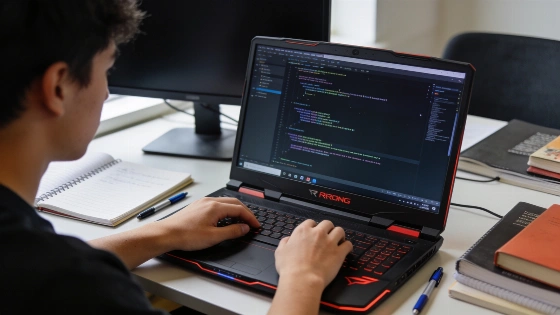
Modern gaming laptops now offer the kind of hardware muscle, fast displays, and sturdy construction that can make them a strong fit for programming and software development. For students and those starting out, picking the right laptop shapes how efficiently they work, how comfortable long sessions feel, and whether demanding tools or projects run smoothly.
Key Hardware Features for Programming
When looking at a gaming laptop for programming or development, focus on a capable CPU and enough RAM. For instance, the ASUS ROG Zephyrus G15 comes in versions with an AMD Ryzen 9 5900HS processor, eight cores and sixteen threads, 16GB of DDR4 memory, and a 1TB PCIe SSD. This setup also includes an NVIDIA GeForce RTX 3070 laptop GPU with 8GB of graphics memory, which can handle heavy development tools, containers, and graphics tasks. Another G15 version features an AMD Ryzen 9 6900HS, 24GB of DDR5 memory, and an RTX 3060 laptop GPU. These differences show that model-year and configuration details shift between releases. Buyers should always check the exact model and specs, since memory type, storage, and GPU options change from one version to another. Amazon listing Newegg listing
Display quality is another factor. A 15.6-inch 2560×1440 display with a 165 Hz refresh rate, as seen on the Zephyrus G15, gives plenty of workspace and smooth visuals. Color accuracy and brightness matter for design, while a comfortable keyboard and responsive trackpad help during long coding sessions. The Zephyrus G14, which ASUS calls a true thin-and-light gaming machine, weighs just 1.5 kg and can be as slim as 1.59 cm. This makes it a good pick for gaming and mobile productivity. ASUS ROG official page
Portability and Battery Life
Developers who move between locations or attend coding bootcamps may want lighter laptops. The Zephyrus G15 weighs about 4.19 lbs (roughly 1.9 kg) and is under 21mm thick, so it’s easier to carry than many traditional gaming models. The Zephyrus G14 is even lighter at 1.5 kg and as thin as 1.59 cm, according to ASUS. The current G14 spec includes a 73 Wh battery and supports fast charging from 0% to 50% in about 30 minutes if conditions are right. ASUS markets the G14 as a mobile productivity platform, highlighting longer battery life for video playback and web browsing. However, the company clearly states that gaming on battery will cut runtime and performance. Their battery-life tests use controlled settings: Windows with a 150-nit display, lighting off, Wi-Fi and Bluetooth off, Windows Power Plan set to Balanced, Battery Saver on, system volume at 67%, and full-screen 1080p video. These lab conditions mean that actual battery life during development or gaming will likely differ, especially when using the discrete GPU or running heavy workloads.
Connectivity and Expansion
Having several USB ports, HDMI, and SD card readers helps connect peripherals, external monitors, or move project files. The Zephyrus G15 offers one HDMI port, two USB-C ports, a microSD reader, Ethernet, Wi-Fi, Bluetooth, and three USB ports in total. Storage options may include dual PCIe NVMe drives in RAID 0, and memory can range from 16GB DDR4 to 24GB DDR5, depending on the model. Being able to upgrade storage and RAM can keep a laptop useful as programming needs grow. Buyers should check the manufacturer’s exact model number before trusting claims about upgradeability or available ports, since retailer listings sometimes show custom or upgraded builds.
Budget Considerations
Entry-level gaming laptops like the Dell G15 5510 with an RTX 3050 Ti and a Core i5 processor can handle most programming and basic game development. Still, limited RAM or storage might mean upgrades are needed. For those with less to spend, older models such as the MSI GF65 Thin with an RTX 2060 can still deliver solid performance for coding and learning, though they may lack some newer features. The Zephyrus line shows that both 16GB and 24GB memory options exist, so it’s worth thinking about your workflow—especially if you plan to use several IDEs, browsers, containers, emulators, or virtual machines.
Practical Workflow Tips
For programming education, a laptop should run the tools and languages you need. Most gaming laptops handle Python, JavaScript, and common IDEs like Visual Studio Code or PyCharm without trouble. If you plan to use virtual machines, containers, or large datasets, look for more RAM and storage. For collaborative work, make sure Wi-Fi is reliable and consider models with fingerprint login or Windows Hello for extra security.
High-end GPUs matter for graphics programming or machine learning, but many programming learners can focus on CPU, RAM, and display quality. An RTX-class laptop GPU is important for game engines, shader development, 3D rendering, CUDA workloads, and machine-learning experiments. For web, backend, and text-based development, CPU speed, memory, storage, display comfort, and thermals matter more. Review your workflow and pick a laptop that fits your current and future development plans. ASUS’s latest messaging for the Zephyrus G14 and G15 supports using gaming laptops for development, while making clear that portability and battery life depend on workload and test conditions.