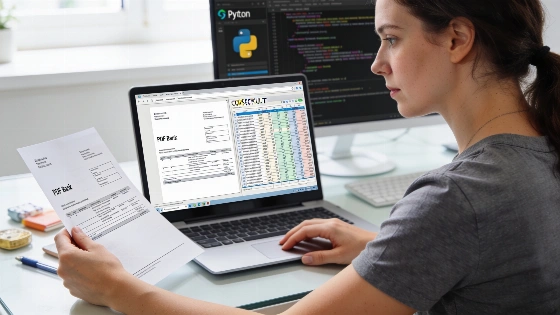
People managing personal or business finances often run into trouble when they need to extract transaction data from bank statement PDFs. Accounting platforms usually want CSV files, but banks issue statements as PDFs, which means users either retype data by hand or turn to online converters that can put privacy at risk. Running a Python tool locally gives users a way to automate this process and keep sensitive information on their own machines.
How the Python PDF-to-CSV Converter Works
This converter is written in Python and uses the pdfplumber library (version 0.11.10) at runtime. It tries to pull tables straight from the PDF's text layer. For most digital statements, pdfplumber picks up ruling lines and splits rows into debit and credit columns, or reads a single amount column marked with + or - to show transaction direction. Extraction depends on the statement’s text encoding, layout, embedded fonts, and table structure, so results shift with each document. Table extraction from PDFs is not the same as reading a structured financial-data file. Extracted text can arrive out of order, amounts might be split into separate character objects, and headers or footers sometimes get mistaken for transactions. Independent testing should log the sample size, statement issuers, page layouts, extraction failure rate, and manual correction rate.
If the statement doesn’t have a structured table and instead lists lines of text, the tool switches to plain-text parsing. It processes rows formatted as date description amount [balance] and pulls out each field. The accuracy of this fallback depends on the PDF’s encoding and layout.
For scanned statements without selectable text, the tool uses Tesseract OCR. Users must install Tesseract separately, since it’s not bundled with the Windows executable. The OCR process tries to recognize text from the scanned image, then applies the same parsing logic as with digital PDFs. Recognition accuracy changes with scan resolution, skew, compression artifacts, language, font, table lines, and how decimal separators or currency symbols are placed. OCR can introduce transcription errors that affect dates, signs, decimal points, account numbers, and transaction amounts. Any bank statement converted through OCR should be checked against totals, balances, and source pages to confirm accuracy.
Handling Dates, Amounts, and Character Normalization
Bank statements use a mix of date formats, such as YYYY-MM-DD, YYYY/MM/DD, YYYY年MM月DD日, MM-DD, or MM/DD. The converter standardizes all dates to YYYY-MM-DD. If only a month and day appear, the year is inferred from a heading in the document, the first full date, or a --year command-line flag. Inferring a year from a document heading, the first full date, or a command-line argument can cause boundary errors when statements cover two calendar years or when headings refer to posting, billing, or statement periods instead of transaction dates. Locale-sensitive dates are especially risky because MM/DD and DD/MM can mean different transactions while still looking valid. A production workflow should keep the original date string, record how the year was inferred, flag ambiguous dates, and require review before importing data into accounting software.
Amounts are parsed to handle thousands separators, explicit + or - signs, and negative values in parentheses, like (123.45). Bank statements may show credits and debits in separate columns, by color, typography, abbreviations, or balance changes instead of explicit signs. The tool applies NFKC normalization, which fixes issues like non-standard dashes or CJK compatibility characters that some PDF generators add. The CSV output is encoded as UTF-8 with BOM, so it works with Excel and avoids character corruption. Each row includes columns for date, description, debit, credit, balance, and the original source line for traceability. To keep data accurate, users should reconcile against the statement’s opening balance, closing balance, and transaction totals, and keep the original extracted text for audit purposes.
Testing and Limitations
Testing has used synthetic and sample data. For digital PDFs, four synthetic layouts with 34 rows were processed and all fields extracted correctly. Clean scanned statements were tested with six sample rows using OCR, also producing accurate results. The Windows executable, built with PyInstaller on Python 3.12, was smoke-tested on a 12-row fixture and gave the expected CSV output. This executable currently supports only the digital PDF extraction path.
The tool has not yet been tested on real bank statements from actual financial institutions. All tests so far have used synthetic fixtures. Heavily degraded scans are not supported in the current version. To keep things transparent, the raw source line is included in the CSV so users can check each conversion against the original statement. No independent benchmark, peer-reviewed study, or regulator report has established the converter’s accuracy, processing speed, supported-bank coverage, or failure rate. A meaningful evaluation would need testing across digital and scanned PDFs, multiple languages, date and currency formats, multi-page statements, repeated headers, wrapped descriptions, and transactions with refunds or reversals. Current publication claims are limited to what’s been seen in documented test cases, with failures and manual-review needs reported alongside successful examples.
Privacy, Data Control, and Regulatory Considerations
Running the converter locally can cut down on third-party transfer or exposure of sensitive financial data, since files aren’t uploaded to an outside service. Still, local processing doesn’t guarantee confidentiality because files can stay in temporary folders, application logs, backups, cloud-synced directories, OCR caches, or antivirus and operating-system telemetry. Any privacy benefit should be described as reduced third-party transfer or exposure unless the full local data path has been audited. No official regulatory decision, enforcement action, or government publication specifically covers the use of a locally run Python tool to convert bank-statement PDFs into CSV files. Obligations may come from broader privacy, cybersecurity, records-management, tax, accounting, or financial-sector rules that apply to the user and organization. Businesses handling customer or employee statements may have extra duties for access control, retention, deletion, breach response, and vendor management. Regulatory claims should be specific to the jurisdiction and backed by the relevant authority.
Availability and Feedback
The converter is open source and can be run locally. There is a presale page with details on its current status, scope, and refund terms. Features like an installer, graphical interface, and auto-update are not yet available. User feedback on real-world statement compatibility and conversion accuracy is welcome to help improve the tool.