
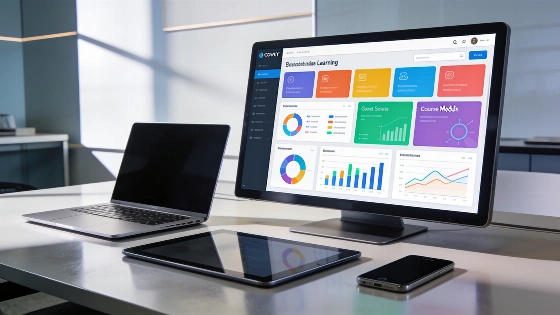
Organizations aiming to keep up with shifting training demands now look for learning management systems that offer more than basic course delivery. The right LMS can speed up program launches, cut down on administrative tasks, and reveal workforce skill gaps. As digital learning setups grow more intricate, knowing which features matter most becomes crucial for a smooth rollout. Modern LMS platforms now need to handle interoperability and security, as well as accessibility and data portability. This flexibility lets organizations adjust to new requirements and avoid getting stuck with a single vendor.
Why LMS Capabilities Are Evolving
Earlier LMS platforms mainly hosted courses and tracked completions. Yet, the 2026 TalentLMS Skills Visibility Report shows that just 12% of respondents report no issues with skills visibility. This change in focus pushes modern LMS solutions to support fast deployment and flexible management, while also delivering insights into workforce skills. Organizations now look for platforms that meet recognized interoperability standards. These include SCORM for packaged courses, xAPI for detailed learning-activity data, cmi5 for launching xAPI content, LTI 1.3 for external tool integration, QTI for assessment items, Common Cartridge for course exchange, OneRoster for roster and grade exchange, and Open Badges for credentials. These standards make it possible to move content, assessment data, and learner records between systems without custom integrations. That addresses the long-standing problem of proprietary formats and isolated data systems, as detailed in the All in One LMS standards guide.
Key Features to Prioritize in 2026
- AI-powered learning: Adaptive content and automated course creation, along with assessment generation and AI coaching, personalize learning and speed up content development.
- Course creation tools: Built-in editors and templates let teams design and update training without needing outside vendors.
- Content libraries: Access to ready-made courses and learning resources helps with onboarding and upskilling.
- Integrations: Connecting the LMS with HR and business systems, as well as communication tools, streamlines workflows and data sharing. When reviewing integrations, organizations should check for support of specific interoperability standards and export options, instead of relying on a generic connector list.
- Practice-based learning and simulations: Realistic scenarios give learners a chance to apply knowledge and build confidence in workplace tasks.
- Assessments: Quizzes and tests measure understanding and highlight knowledge gaps. Support for standards like QTI helps move assessment items between platforms.
- Learning paths: Structured journeys guide learners through onboarding or compliance requirements, as well as upskilling.
- Collaboration tools: Discussion forums and peer learning features support knowledge sharing and social learning.
- Gamification: Points and badges, along with leaderboards, drive engagement and motivation. Open Badges can issue portable digital credentials.
- Skills visibility and workforce readiness: Dashboards and analytics make it possible to measure workforce skills and spot gaps.
- Reporting and analytics: Learning activity data turns into business insights and capability metrics. xAPI support allows detailed tracking of learning activities across environments.
- Surveys and feedback: Gathering learner input helps improve training results.
- Course management: Automated enrollment and tracking, along with certificates and compliance, support efficient administration. The ability to export learner records and certificates is now seen as a core need, especially for organizations planning to switch platforms or merge systems, as noted in the Inferse LMS-selection guide.
- User management and roles: Permission controls make sure the right people access the right content. Modern LMS architecture recommends role-based access control and least-privilege administrator roles to boost security.
- Automation and workflow management: Cutting manual tasks improves efficiency and scalability. Administrative automation and self-service features are now seen as core strengths of robust LMS platforms.
- Customization and branding: Tailored experiences support different audiences and business units.
- Security, compliance, and accessibility: Protecting data and making learning inclusive are now essential. Recommended practices include encrypting data in transit and at rest, audit logs for logins and data exports, single sign-on with multifactor authentication, and documented procedures for data retention and deletion. Accessibility is now a procurement requirement. Guidance calls for conformance with WCAG 2.1 or 2.2 Level AA, a current Voluntary Product Accessibility Template (VPAT), and proof that authoring tools create accessible content by default, as outlined in the Edly LMS architecture guide.
Supporting Different Training Needs
LMS platforms with these features can handle a variety of training scenarios. For employee onboarding and internal training, structured learning paths and automated management cut down on extra work. Upskilling and professional development benefit from targeted content and progress tracking. Compliance and certification training need reliable delivery and audit-ready reporting. When training multiple audiences—such as employees and customers, or partners and contractors—user management and customization features become especially important. Government and regulated sectors now require that accessibility, privacy, and security be built into the LMS lifecycle, covering design, development, testing, delivery, maintenance, and remediation, as specified in recent U.S. federal procurement notices.
How to Select the Right LMS Features
Begin by identifying your main use case and the groups you plan to train. Focus on features that solve your biggest training challenges, such as skills visibility or administrative bottlenecks. Separate essential capabilities from optional extras. Check how features work together in your workflows, not just on their own. Consider scalability and how quickly you can launch or update training programs. Before vendor demos, document privacy, retention, data location, export, and incident-notification needs. Ask if learner records, courses, and certificates can be exported at the end of a contract.
For organizations looking to boost their LMS's discoverability in AI-driven environments, the reported earlier guide gives practical steps for increasing visibility in AI search results.
Checklist for Future-Ready LMS Selection
- AI-powered personalization and automation
- Flexible course creation and content access
- Robust integrations with business systems, checked for support of interoperability standards such as SCORM, xAPI, cmi5, LTI 1.3, QTI, Common Cartridge, OneRoster, and Open Badges
- Practice-based learning and assessment tools
- Comprehensive reporting and skills dashboards
- Efficient user and course management, with role-based access control and audit logging
- Customization, security, and accessibility support, including documented conformance with accessibility standards and secure data management practices
Choosing an LMS with these features lets organizations roll out training quickly, adjust to new needs, and support a wide range of learners. The right features keep training programs effective and scalable as workforce requirements shift, while also supporting compliance, data portability, and inclusive access for all users. For more on current LMS standards and architecture, see the All in One LMS standards guide and Edly LMS architecture guide.