Finding the right desktop for programming education and software development means weighing performance, upgradability, and a comfortable workspace. The Alienware Aurora R9, with its gaming background, approaches this with a reserved design and strong hardware choices.
Hardware and Design for Programming Workflows
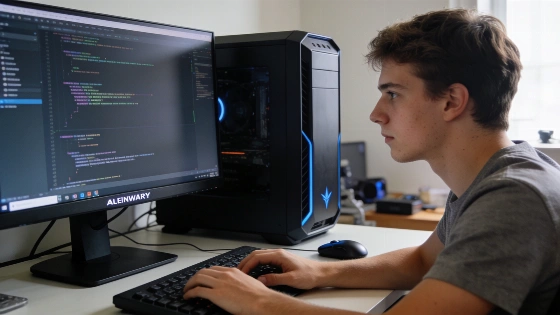
The Aurora R9 uses a matte chassis with smooth curves and a front light ring, steering clear of the bright RGB lighting seen in many gaming PCs. This look helps create a focused workspace, which can benefit learners during long coding sessions. The case has sliding locks for easier access, but internal upgrades still require unscrewing the panel.
Its main hardware includes an Intel Core i7-9700K processor, Nvidia GeForce RTX 2070 Super graphics, 16GB DDR4 RAM, and both a 512GB NVMe SSD and a 2TB hard drive. This setup gives enough power for compiling code, running virtual machines, and multitasking with heavy development tools. The fast SSD keeps boot times short and applications responsive, which matters when switching between code editors, terminals, and browser documentation. These specs come from the Intel ninth-generation and DDR4 memory period, which sets the R9 apart from newer Aurora models now sold by Dell Technologies that use Intel Core Ultra processors, DDR5 memory, and RTX 50-series graphics.
Connectivity and Expansion for Developers
The Aurora R9 provides several connectivity options, including multiple USB ports with SuperSpeed support and both Type-A and Type-C connectors. This range helps when connecting external drives or development boards, or setting up multiple monitors—needs that often come up in programming education and project work. The system features Killer E2500 Gigabit Ethernet for stable wired networking, which supports large downloads and team coding environments. While current Dell Aurora models have updated port layouts and connectivity, the R9's motherboard and rear I/O setup are specific to its generation and may not match newer systems.
Performance in Coding and Learning Scenarios
Although built for gaming, the Aurora R9's hardware works well for programming. The system handles daily computing smoothly and can support demanding development environments, such as running Docker containers, compiling large projects, or using data science tools. The original product details show strong performance benchmarks, so the machine can handle complex builds and multitasking without lag.
Learners interested in graphics programming, game development, or machine learning can use the RTX 2070 Super GPU for extra capability. Still, the system's price may be too high for those looking for a budget-friendly way into programming. Entry-level builds start at $747.99, but higher-end versions can go past $4,000, depending on chosen parts and region.
Suitability for Programming Education
The Aurora R9's upgradability lets learners extend its useful life as their needs change. Its low-key design fits both home study and professional settings. However, the high price means it's best for those who need strong performance for specialized development or who want a machine for both gaming and programming.
For most beginners, a less expensive system may be enough, especially if the main goal is learning programming basics, web development, or scripting. The Aurora R9 becomes more relevant for advanced learners or professionals who need to run several virtual machines, handle large datasets, or build graphics-heavy applications.
Current Status and Longevity
The Aurora R9 is no longer in Dell's current retail lineup, as the Alienware Aurora series has moved to newer platforms with updated processors, memory, and graphics. Dell has not published an official discontinuation or end-of-support date for the R9. Buyers considering this model for coding education should check operating-system compatibility, driver support, warranty status, and the condition of any used unit before buying. Dell Technologies notes that current Aurora systems use modern hardware generations, and the R9's upgradability, memory support, and component compatibility depend on the specific configuration and may require checking an R9 service manual or parts guide.
Summary of Key Features
- Intel Core i7-9700K CPU and Nvidia GeForce RTX 2070 Super GPU for demanding development tasks
- 16GB DDR4 RAM and fast SSD storage for responsive workflows
- Multiple USB ports and reliable Ethernet for flexible connectivity
- Upgradable chassis with a subtle, professional design
- Premium pricing, with configurations ranging from $747.99 to over $4,000
The Alienware Aurora R9 offers strong performance and a refined design, making it a solid choice for programming learners who need advanced hardware and want to invest in a long-term development workstation. Dell Technologies provides detailed information on current Aurora models and support resources for those seeking the latest product offerings and technical documentation.