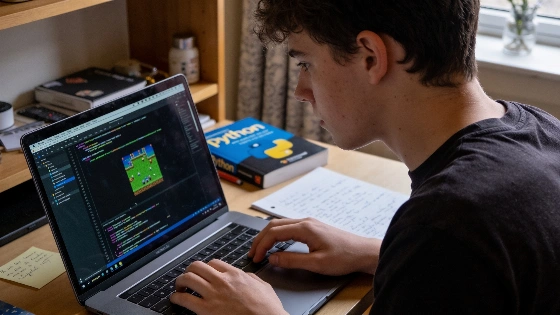
Plenty of new Python learners hit a wall after picking up the basics, unsure how to turn that knowledge into a working project. Moving from syntax and data structures to an actual game often feels daunting, especially when staring at a blank editor without a clear plan. Progress comes from breaking a game idea into smaller, testable modules and focusing on core mechanics before layering on more features.
Why Modular Design Prevents Beginner Overload
Trying to build a full game in one go usually leads to frustration and abandoned work. Dividing the game into modules—like player movement or inventory management—keeps each part within reach. For instance, a basic player movement system might take just 20 lines of code, while a puzzle mechanism could add another 30. By isolating these pieces, you can test and debug each one on its own. This approach lowers the risk of a single error breaking the entire project.
The University of Washington’s Robinson Center for Young Scholars uses this modular method in its game development curriculum. Their hands-on studio course, aimed at fourth- and fifth-graders with basic Python skills, starts with core mechanics and interactive elements instead of building every system at once. The program keeps complexity down by defining a small first version and adding systems step by step, showing how modular design helps beginners (Robinson Center course description).
Start With Text-Based Games to Build Core Logic
Diving into graphics and sound right away can make things complicated fast. Beginners get more out of starting with text-based games, like an escape room, where logic and structure matter more than visuals. Using Python dictionaries for rooms and conditional loops for puzzles keeps code short—often under 150 lines. This lets you iterate quickly and see how mechanics work before adding graphics or audio.
This step-by-step progression shows up in academic programs such as the University of Massachusetts Lowell’s information technology track. There, students learn Python basics—Boolean logic, program structure, input/output, and loops—before moving to graphics and user interfaces. This order ensures learners master control flow and data structures before tackling visual systems (UMass Lowell course description).
Iterative Development: Plan, Code, Test, Debug
Game building works best as an iterative process. Start with a basic version, test how it runs, and refine it through repeated cycles. For example, a number guessing game might begin as a simple player-versus-computer setup. Once the core logic is solid, you can add an AI opponent using a binary search algorithm to guess numbers efficiently. Keeping each new feature in a small code module helps avoid runaway complexity and makes debugging less painful.
The University of Utah’s Beginner Python course uses this plan-code-test-debug cycle, ending with a final project that moves from fundamentals to a self-chosen application. Testing and debugging are built into the curriculum, reinforcing why iterative development matters for new programmers.
Using Community Resources Without Blind Copying
Online communities like r/learnpython and the Pygame Discord offer templates, feedback, and support for those starting out. But copying code without understanding it can backfire. Instead, study open-source projects to see how they organize modules such as collision detection or puzzle triggers. Reverse-engineering these examples lets you adapt proven solutions to your own project and deepens your grasp of Python and game logic.
Managing Scope and Avoiding Imposter Syndrome
Many beginners deal with imposter syndrome, feeling their progress falls short. Documenting each working feature—like a functional door or a finished puzzle—gives you clear proof of progress. Setting small milestones and celebrating each win helps keep motivation and confidence up. If things get overwhelming, scale your project back to a smaller, text-based version. This way, you can experiment and learn without risking the whole system collapsing from a single mistake.
Polk State College’s introductory Python course highlights computational thinking and systematic design techniques to solve problems, backing a modular and incremental teaching strategy. By focusing on discrete functions and subsystems, learners can manage scope and build confidence as they move through their projects.
Beginner-Friendly Python Game Project Ideas
- Text-Based Escape Room: Model rooms, items, and puzzles using dictionaries and loops. This keeps complexity low and logic separate from visuals.
- Pygame Platformer: Once you’re comfortable with core logic, use Pygame to add movement and collision detection. Start with placeholder graphics and modularize each mechanic.
- Number Guessing Game With AI: Practice iterative development by adding an AI opponent that uses binary search. Keep the AI logic simple and test boundaries to avoid infinite loops.
- Tic-Tac-Toe With Minimax AI: Implement a minimax algorithm for the computer player. Limit recursion depth to prevent stack overflow and prune obvious outcomes to keep the AI efficient.
- Data Visualization Mini-Game: Use Matplotlib or Pygame to animate data, such as a bar chart race or particle simulation. Sample data points to maintain performance and cap frame rates for smooth visuals.
Practical Strategies for Success
- If you’re unsure about game logic, start with text-based projects to master core mechanics.
- If the project scope feels too big, break it into modules of 20–30 lines for easier testing and debugging.
- If you struggle with libraries, study open-source templates and reverse-engineer their structure instead of copying code directly.
- If imposter syndrome hits, document each working milestone to track progress and build confidence.
Building a Foundation for Future Projects
Starting with small, modular projects and adding complexity step by step helps you minimize risk and build a stronger understanding of Python game development. This method helps you finish your first game and prepares you for more advanced projects later. Focus on progress through manageable steps and use community resources to support your learning.
The University of Washington’s Robinson Center course shows this process in action, giving students two weeks for a game project: the first week covers Pygame basics, planning, and building an initial playable version, while the second week focuses on finishing, playtesting, polishing, and presenting the game at a Family Arcade showcase. Students implement systems like keyboard movement, collision detection, scoring, sounds, timers, and levels as separate modules. Observable milestones such as peer testing and public demonstration mark their progress. The course description notes, "No game-making experience is needed, but basic knowledge of Python is required." By the end, every student leaves with a playable game and presents it to others, showing how modular, incremental development works for beginners.