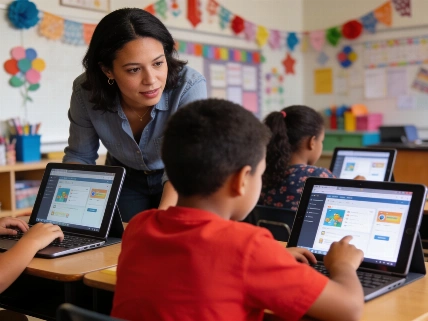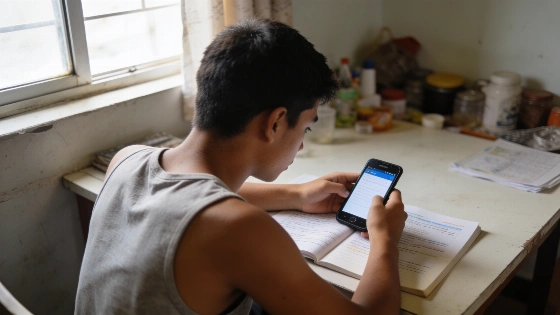
Most eLearning platforms and digital courses are built on the assumption that every learner has a reliable, fast internet connection and up-to-date devices. The reality is different for millions of students and adults worldwide who deal with spotty connectivity or no home internet at all. Giga, the UNICEF–ITU school connectivity initiative, reported in February 2026 that about half of the world's schools still lack online access, and roughly 1.3 billion children do not have internet at home. In the United States, Connected Nation found in 2026 that over 15.7 million Americans cannot access broadband, more than 81 million lack home broadband service, and 15 million have no computing device at home. These gaps in access and devices mean that digital learning built only for always-online environments leaves many learners out.
Offline-first design goes beyond technical preference and becomes essential for equity and inclusion. UNESCO’s rural-learning initiative in Maharashtra, India, which ran from 2022 through 2026, showed how foundational learning can improve in places with weak digital access, unreliable electricity, and limited household technology. The program reached 1,890 students and 55 teachers across 20 schools in the Warvade cluster of Solapur district. It combined teacher development and weekly experiential learning with offline digital content, solar power, shared tablets, government activity books, and individual learner tracking. By the end of the initiative, all participating schools had solar-powered digital-learning setups designed to support access across 220 school days each academic year. The UNESCO SDG4 Education 2030 knowledge hub reported, "Reliable infrastructure should be established before technology-enabled teaching begins; solar power was essential to making existing equipment and new digital tools consistently usable."
Why Offline-First Design Matters
Offline capability is more than a convenience. For learners with limited or costly data, being able to download and use educational content without a constant connection can decide whether they participate fully or get left out. Treating offline access as a core part of accessibility and inclusion helps digital learning resources reach a wider and more diverse group.
UNICEF’s reporting from Uganda shows what many "semi-connected" schools face—41% of Uganda’s secondary schools had some electricity and internet access in 2026, but frequent power and network outages made steady technology-based instruction impossible. At Alemere school in Amolatar District, about 650 learners dealt with blackouts, failed solar batteries, a broken generator, and internet that only worked in certain spots or on specific networks. ICT teacher Susan Akao said, "Our internet only works in certain places, and better on one telecommunications network." Students often studied in shifts because of a shortage of computers, making practical ICT classes tough. UNICEF’s Leaders in Teaching Program aims to improve ICT infrastructure and digital learning in 2,091 secondary schools, 10 universities, and five teacher-training institutes, focusing on the largest and most underserved school category.
Core Principles for Offline-First eLearning
Effective offline-first design starts by asking what learners need to do when the internet is down. A practical framework uses three main questions:
- Carry: Can learners download and keep the content they need? This means offering whole modules or units in a single download, supporting resumable downloads, and making it clear what is saved locally. File size is important, especially for low-end devices. A 2026 study in the Journal Evaluation in Education tested an offline-first app with 80 students and 15 teachers using Android phones with 1–2 GB RAM. Modules loaded in about 1.8 seconds, weekly data use stayed around 0.9–1.2 MB, offline access worked 98.7% of the time, and average post-test scores increased by 24.6 points over pre-test. While this is a single study, it gives useful benchmarks for performance and usability.
- Work: Can learners engage with the material offline? Reading is just the start. Features like highlights, margin notes, bookmarks, and read-aloud should work without a connection. Read-aloud, in particular, benefits from customization. A May 2026 eye-tracking study of 47 junior-high students found that text-to-speech improved comprehension for students with ADHD-related reading difficulties and reduced reading time for students with dyslexia. Typically developing readers saw no comprehension gain and sometimes found the audio pace unsuitable. The best approach is to offer read-aloud as an optional feature with speed control, not as a default.
- Reconnect: What happens when the device goes back online? Well-designed systems sync notes, progress, and bookmarks automatically in the background to avoid data loss or conflicts. If a learner's offline work is overwritten or lost during sync, trust in the platform drops quickly.
UNESCO’s Maharashtra initiative shows these principles in action. The program used 40 Lenovo Tab M8 HD tablets, a mobile van, and 20 solar photovoltaic systems rated at 1 kW each to deliver an offline-first curriculum covering 120 mathematics and English concepts. Tablets were transported weekly to 10 participating villages, letting learners access locally stored video content without needing home broadband or individual devices. Sessions combined individual tablet-based learning and structured group discussion with a 10-point assessment in mathematics and English. Student logbooks, a management-information application, and teacher-supported activities connected digital content with classroom instruction. The mix of solar power, offline content, and shared devices reduced dependence on household internet and electricity, as highlighted by the Quality Education Foundation and UNESCO SDG4 Education 2030 knowledge hub.
Design Strategies for Content Teams
- Start with the lowest common denominator: If your course works on older devices with spotty access, it will work for nearly everyone.
- Keep media files small and let learners choose what to download. Avoid forcing all content to be downloaded at once.
- Treat synchronization as a core feature. Decide early how to handle conflicts and what feedback to provide during saving.
- Consider how offline learners are represented in reporting. Systems that only track live activity may misclassify resourceful offline learners as disengaged.
- Protect content using time-bound or device-based permissions that can be verified offline, balancing publisher control with learner access.
In many African countries, unreliable electricity and limited high-speed internet remain structural barriers to digital learning. Andrew Dabalen, Chief Economist for Africa at the World Bank, pointed out that infrastructure must come before broad digital and AI deployment, with electricity as the first priority, then skills, connectivity, and data. Educational services like Eneza and M-Shule deliver customized lessons and quizzes through low-cost devices and SMS, expanding offline-first learning to include intermittent-connectivity channels such as text messaging. These systems let learners interact, ask questions, and get personalized feedback even without continuous broadband, as described in the World Bank’s Africa’s AI Moment discussion.
UNESCO’s Pacific education dialogue also identified geographic isolation and teacher shortages as ongoing barriers to educational access. Participants called for digital innovation, including artificial intelligence, to support teachers and address the needs of communities with limited connectivity. Offline capability was positioned as part of a broader resilience agenda, ensuring continuity of learning during disruptions and emphasizing that progress should be measured by what learners are able to achieve, not by technology adoption alone.
UNESCO and UNICEF’s reporting from Afghanistan shows how distance and digital learning can serve as emergency pathways when formal education is restricted. By October 2026, about 5,300 community-driven classes were operating and serving around 162,000 learners, 64% of them girls, in a context where more than 2.6 million girls had been denied access to education since 2021. However, both organizations stressed that these alternatives are not enough to replace in-person schooling or restore the right to formal education.
Mobile platforms can also help support school-home communication in low-connectivity environments. In Tanzania, UNESCO’s Digitizing Our School for Success application enabled teachers and parents to exchange information about attendance, academic progress, behavior, and wellbeing in real time, even without conventional desktop or broadband access.
Looking Ahead
Offline capability is becoming a baseline expectation for digital learning, much like mobile responsiveness is now standard. As buyers and institutions focus more on equitable access, platforms that prioritize offline usability and give learners control over support features—such as read-aloud speed—will be better positioned to serve diverse needs.
For anyone designing or reviewing an eLearning course, check whether learners can carry the content with them, work effectively offline, and reconnect without losing progress. Addressing these questions helps ensure that digital learning is genuinely accessible, regardless of internet access. For further reading, see the UNESCO SDG4 Education 2030 knowledge hub.
Sources: Giga (UNICEF–ITU), 17 Feb 2026; Connected Nation, 19 Feb 2026; Journal Evaluation in Education, vol. 7 no. 2, April 2026; Reading and Writing, published 14 May 2026.