Plenty of privacy-minded users want to use Signal for secure messaging but hesitate to connect their personal mobile number to the app. Signal encrypts messages, yet it still asks for a phone number at signup, which can link your account to your real identity, mobile carrier, and other apps. Using a virtual phone number registered as a real US mobile line gives anyone a way to keep their personal number private or run separate Signal accounts for work and personal use.
What Is a Virtual Phone Number for Signal?
A virtual phone number for Signal is a real US mobile number, registered under the North American Numbering Plan (NANP) and marked as a mobile line instead of VoIP. This matters because many messaging apps reject numbers flagged as VoIP. With a service like SLYNUMBER, you get a US mobile number that works for Signal registration, receives SMS and voice calls, and isn’t tied to your SIM card or mobile carrier. Still, the North American Numbering Plan Administrator points out that the "mobile" label doesn’t guarantee a number is issued to a physical SIM or that every verification service will accept it. Messaging platforms like Signal may classify or block numbers based on carrier, line-type, or fraud data, and there’s no regulatory promise that a commercial provider’s number will always work with Signal. For more on numbering standards, see the North American Numbering Plan Administrator.
How Signal Registration Works with a Virtual Number
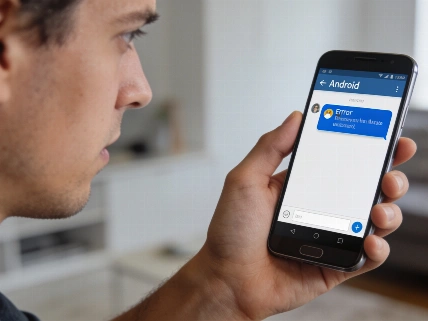
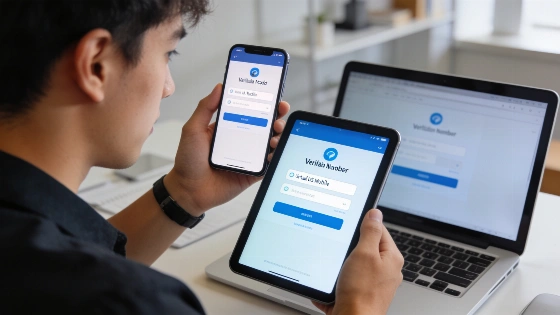
To register Signal with a virtual number, open the Signal app and enter your SLYNUMBER US mobile number with the +1 country code. Signal sends a six-digit verification code by SMS to that number. If the SMS doesn’t arrive, you can request a voice call, which SLYNUMBER also supports. The verification code appears in your SLYNUMBER app inbox on any device where you’re signed in. Enter the code in Signal to activate your account. Signal’s official guidance says, “You must have access to the phone number you are registering with.” The verification step checks control of the number at that moment, but doesn’t establish permanent control or ownership. If a number is hosted, recycled, temporary, or shared, there’s a risk the provider could reassign it or someone else could access incoming messages, which may affect account recovery and security. After registration, Signal prompts you to create a PIN and enables Registration Lock, which adds your Signal PIN to the normal verification process. Registration Lock is optional and makes it harder for another person to register the same number on a new device using only a verification code, but it doesn’t protect you if you lose control of the underlying number or share your PIN. For more details, see Signal’s Registration Lock documentation.
Why Avoid Using Your Personal Number?
Registering Signal with your personal mobile number brings several risks. If someone takes control of your SIM card through a SIM swap attack, they could register your Signal account on their device. Verification codes sent over insecure channels might be intercepted. Most critically, your phone number links your Signal account to your real identity and other services. Using a dedicated virtual number from SLYNUMBER breaks this link, adds another layer of security with Registration Lock, and keeps your identity separate from your Signal account. Still, while a virtual number can help shield your privacy from other Signal users, number providers may keep account, payment, device, and verification records, and your account isn’t anonymous to the provider, mobile carrier, or anyone with access to the verification channel.
Everyday Benefits for Personal and Professional Use
With a virtual number, you can keep your work and personal Signal accounts separate, share a Signal contact publicly without exposing your real number, and avoid losing access when you change phones. This flexibility helps educators, freelancers, or anyone juggling multiple communication channels. Signal’s username and phone-number privacy features let you limit how easily other Signal users find or view your registered number after account creation. As Signal’s support documentation says, “You can choose whether people can find you by your phone number.” Creating a username lets you start contact without giving out your phone number, though a number is still needed for registration.
Step-by-Step: Setting Up Signal with SLYNUMBER
- Download the SLYNUMBER app.
- Create your account.
- Select a US mobile number.
- Register for Signal using your new number.
- Secure your account with a PIN and enable Registration Lock.
How SLYNUMBER Compares to Other Options
SLYNUMBER offers real US mobile numbers that aren’t controlled by traditional mobile carriers, making them less vulnerable to SIM swap attacks. The service works in over 150 countries and includes SMS, voice calls, custom voicemail, international calling, eSIM plans, and encryption with TLS and SRTP. Pricing starts at $4.99 per month (with a quarterly plan) or $49.99 per year. Signal’s documented position is that usernames and privacy settings give control over discoverability, while registration still depends on access to a telephone number. For best security, use a number under durable personal control, enable Registration Lock, and protect your Signal PIN. Don’t treat a temporary number as a complete anonymity solution.
Frequently Asked Questions
- You can register for Signal with a SLYNUMBER virtual number.
- Your contacts only see your number if they already have it saved; otherwise, you can hide it with a Signal username.
- It’s possible to keep a separate number for work.
- Changing phones is straightforward with the SLYNUMBER app and Registration Lock enabled.
- The service operates in more than 150 countries over Wi-Fi or mobile data.
- Using a SLYNUMBER virtual number is more secure against SIM swap attacks than relying on your carrier's SIM card.
SLYNUMBER reports serving over 200,000 users in more than 150 countries with real US mobile numbers for privacy-focused messaging and account separation. For more on Signal’s privacy and registration features, see the official Signal support documentation.