Launched by Xiaomi in 2018, the POCO F1 runs on Qualcomm’s Snapdragon 845 platform and carries the codename beryllium. Its close sibling, the Xiaomi Mi 8 (dipper), also uses the Snapdragon 845 (SDM845), as detailed in the Android Ports Archive. The POCO F1 still draws users who want a stable and responsive Android device. Its community keeps development resources and device repositories active, offering flashing instructions, recovery links, and build releases.
Why LineageOS Stands Out for Daily Use
LineageOS has built a reputation as a reliable ROM for those who use their POCO F1 every day. Its lightweight approach lets the Snapdragon 845 run smoothly. Community repositories list indexes and flashing instructions for LineageOS builds, and the device appears under the Snapdragon 845 platform in official archives. While some ROMs have shifted to newer Android versions, LineageOS keeps its focus on stability and reliability for the POCO F1. This makes it a solid pick for users who want consistent updates and minimal bugs.
Other Maintained ROM Options
Users looking for more customization can try crDroid or Evolution X. crDroid brings a wide set of tweaks on a stable base and continues to support Android 15 for the POCO F1. Evolution X adds the Pixel Launcher and Pixel-inspired features, changing the device’s look and feel. Both ROMs appear in compatibility matrices for AOSP-based custom ROMs. Advanced users can find system modification tools, KernelSU/Magisk modules, and Play Integrity-related functions for these ROMs in third-party repositories like android-mods-module on GitHub. These tools are aimed at those configuring custom software setups.
Exploring Android 16 with Halcyon
Anyone wanting to try Android 16 on the POCO F1 can check out Halcyon, which offers builds for the device. These builds are available in the project's beta folder and suit advanced users or those willing to accept possible instability. Lunaris AOSP previously released Android 16 builds, but its last update was on January 14, 2026, and it no longer gets security patches. AlphaDroid and BlissROMs have also ended official support for the POCO F1.
Older ROMs and Security Considerations
The POCO F1 device page lists ROMs like ArrowOS, CarbonROM, Cherish OS, dotOS, Havoc-OS, Nusantara, and Project Elixir. These projects are no longer maintained and do not get security updates. Users leaving ArrowOS can use dedicated guides to compare current alternatives for supported devices. The current Android security-patch level for the POCO F1 or any named ROM is not listed in official bulletins, and any claims about security or Play Integrity need build-specific proof.
Flashing the POCO F1: Key Steps
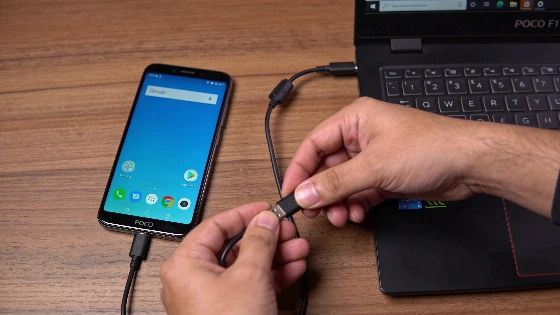
Flashing a custom ROM on the POCO F1 is straightforward because it lacks A/B partitions. The process starts with unlocking the bootloader using Xiaomi’s Mi Unlock tool, which might require waiting up to 30 days. After unlocking, flashing the correct firmware version for the chosen ROM is essential. For LineageOS, MIUI 12.0.3 firmware is required, with separate versions for global and Russian models. Each ROM may need a different firmware, so always check the official instructions for the POCO F1 (codename beryllium).
- Unlock the bootloader with Xiaomi’s Mi Unlock tool. Be ready for a possible wait before the unlock finishes.
- Flash the needed firmware for your ROM, then install the ROM’s recovery to the recovery partition and the ROM itself.
- If your ROM does not include Google Apps, flash a compatible GApps package.
Before starting, fully charge the device and check the battery’s health. A weak battery can interrupt the flashing process and leave the system incomplete.
Choosing the Right ROM for Your Needs
LineageOS is a strong recommendation for users who want a fast, stable, and regularly updated daily driver on the POCO F1. crDroid is a good choice for those who want customization without losing reliability. Halcyon brings Android 16 for advanced users interested in testing new features. Always confirm the latest build status on the official device page or community repository before installing.