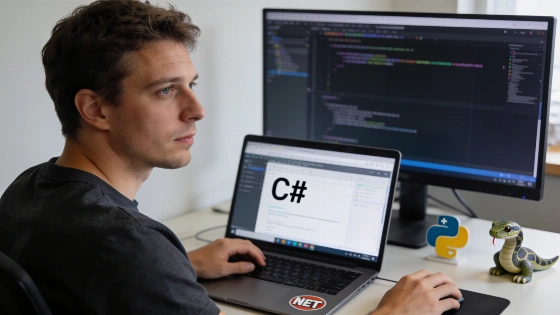
Many C# developers look for ways to tap into Python's broad library ecosystem, especially for AI and data science. Libraries like PyTorch and NumPy bring advanced features, but getting them to work smoothly in a .NET workflow often proves tricky. The main hurdles involve setting up the right Python runtime, restoring pip packages, and making sure native binaries and module paths line up for each build. This complexity comes from juggling two separate package systems: NuGet and MSBuild for .NET, and Python runtimes, pip, native extensions, and module paths for Python. Microsoft documentation points out that Python libraries come from PyPI, while .NET libraries use NuGet, highlighting the need to bridge these two ecosystems.
Why Managing Python Dependencies in C# Projects Is Difficult
Standard methods push developers to set up Python environments by hand, write scripts for dependency installs, and keep separate config files. This can get tedious and lead to mistakes, especially when projects need to run on different machines or deployment targets. Even with tools like PythonNET that let C# call Python, setting up the environment remains a major obstacle. .NET handles dependencies with NuGet restore and an SDK-compatible toolchain, while Python relies on pip. Microsoft Learn documentation draws a line between .NET packages like Microsoft.Azure.Cosmos and Python packages like azure-cosmos, which are installed with pip, showing the clear split between the two systems.
Introducing DotNetPip for Native Python Dependency Management
DotNetPip, an open-source MSBuild integration by Jaime Olivares, tackles these issues by building Python dependency management right into the C# project build. Instead of using outside scripts, developers list needed Python packages in the .csproj file with MSBuild items like PythonPackage Include="numpy" Version="1.26.4" and PythonPackage Include="transformers" Version="4.38.0". When running dotnet build, custom MSBuild tasks set up the Python environment and restore pip dependencies automatically. This setup exposes the configured Python environment to the C# runtime during the build, cutting down on manual steps. The build process aims to "ensure the Python environment and pip dependencies are restored."
How to Set Up DotNetPip in Your Project
- Add the DotNetPip package from NuGet by running dotnet add package DotNetPip.
- List your needed Python dependencies in your .csproj file, for example:
<PythonPackage Include="numpy" Version="1.26.4" />
<PythonPackage Include="transformers" Version="4.38.0" /> - Build your project with dotnet build. The MSBuild integration will handle Python environment setup and dependency restoration for you.
This approach lets C# developers use Python's AI and machine learning libraries as part of their regular .NET build, removing the need for separate setup scripts or manual pip installs. Python package declarations sit alongside standard .NET project metadata, so there's no need for a separate requirements file.
Practical Benefits for Developer Workflows
Bringing Python dependency management into the build pipeline helps keep development, testing, and deployment environments consistent. Developers can write code that uses both C# and Python libraries without worrying about mismatched environments or missing packages. This is especially helpful for teams building cross-language apps or adding machine learning models to .NET projects. The workflow can cut down on manual setup in development and CI environments, but build reliability still depends on each runner's Python installation, OS, CPU architecture, and native-library needs.
Build and Restore Considerations
Microsoft's build guidance stresses the difference between package restoration and compilation in .NET workflows. Typical dotnet commands restore packages, but direct MSBuild builds may need a separate restore step. Microsoft Learn notes, "A direct MSBuild Build operation does not necessarily restore." The suggested order is to run dotnet restore, then dotnet build --no-restore, and finally dotnet run --no-build. The first restore step needs HTTPS access to NuGet.org, and the SDK and toolchain must fit the project. These requirements matter for any build-time Python integration, since a successful .NET restore does not guarantee Python packages, interpreters, or native binaries are present. CI systems should test both dotnet build and direct MSBuild paths before counting on automatic Python restoration.
Current Status and Community Involvement
DotNetPip is open source and documented as a NuGet-installed MSBuild integration with Python package declarations in the .csproj file. The project stands apart from Microsoft's native package-management tools and is not an official .NET feature or a widely validated production standard. No government, regulatory, judicial, or standards-body decision about DotNetPip has been found, and there is no Microsoft certification, NuGet security review, or formal .NET SDK integration on record. Developers who want to contribute, report issues, or look into edge cases can find the repository and more documentation on GitHub. For technical background, Microsoft Learn offers detailed guidance on .NET and Python package management, including the differences between NuGet and PyPI ecosystems Microsoft Learn: SDK and package-management documentation.