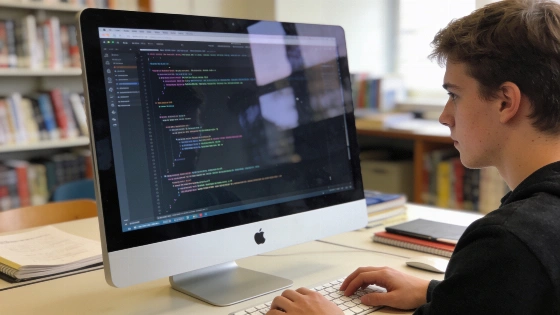
For those learning programming or teaching coding skills, the choice of computer can shape the experience and outcomes. The iMac (Retina 4K, 21.5-inch, 2019) holds a distinct spot in Apple's product catalog, marking a phase between Intel-based and Apple Silicon systems. Apple groups this model with other Macs in its accessory and storage compatibility lists, confirming ongoing support for a range of peripherals and add-ons. Apple's official catalog details the model's identity and its place in the product family.
Processor and Memory Options
This iMac uses Intel's 8th generation Coffee Lake processors, with choices from the quad-core i3-8100 to the six-core i5-8500 and i7-8700. The i7 supports hyper-threading, which can help learners who run several development tools or virtual machines. Intel states all three CPUs handle up to 64 GB of DDR4 RAM, and the i5 and i7 chips could technically support 128 GB. Still, the logic board has only two memory slots, and as of December 2024, 64 GB SODIMM modules are unavailable, so the practical ceiling is 64 GB for all versions.
Storage and Expansion
Fast storage matters for programming students, especially when compiling code or managing large projects. The base i3 model shipped with a 1 TB 5400 RPM hard drive, which lags behind current standards. Upgrading to an SSD is strongly advised for smoother development. The i5 and i7 models come with a Fusion Drive by default, pairing a traditional hard drive with a 32 GB SSD portion, but pure SSD options are available and better suited for most coding work. The i3 logic board lacks a PCIe SSD connector unless configured with a Fusion Drive, which limits upgrade options for some users. The 2019 21.5-inch Retina 4K iMac appears in Apple's accessory catalog as a supported Mac for storage-related add-ons and upgrades. Apple's accessory database lists this model for storage solutions.
Display and Graphics
The 21.5-inch Retina display delivers a 4096 x 2304 resolution, supports P3 wide color gamut, and reaches 500 nits brightness. This screen quality helps with reading code, working on design assets, or running multiple windows side by side. Graphics options start with the AMD Radeon Pro 555X for the base model, while the i5 and i7 support the Radeon Pro 560X or the Vega 20 for heavier visual tasks.
Connectivity and Peripherals
Programming learners often connect external devices or development boards. This iMac offers two Thunderbolt 3 (USB-C) ports, four USB-A ports, an SDXC card slot, and Gigabit Ethernet. Bluetooth 4.2 and 802.11ac Wi-Fi cover most wireless accessories and network setups found in classrooms and labs.
Operating System and Software Compatibility
The 2019 21.5-inch 4K iMac requires macOS 10.14.4 Mojave or newer. It works with current development tools, including Python and JavaScript, and popular IDEs such as Visual Studio Code. The Intel architecture lets learners install and run a wide range of programming environments, including virtualization tools for cross-platform work.
Practical Considerations for Programming Education
For teaching or learning programming, starting with at least 16 GB of RAM and an SSD is a good move. The base 8 GB setup may handle basic coding but can feel tight when running several applications or larger projects. The upgradable CPU socket (FCLGA1151) and accessible RAM slots allow some future upgrades, though the two-slot limit caps maximum memory.
This iMac does not have Apple's T2 security chip, which appeared in some other 2018 and later Macs. That can make certain hardware upgrades and troubleshooting steps easier for educators and students. Without the T2 chip, there are also fewer compatibility issues with some Linux distributions or alternative operating systems used in programming courses.
Summary of Key Specifications
- Processors: Intel Core i3-8100 (3.6 GHz, 4 cores), i5-8500 (3.0 GHz, 6 cores), i7-8700 (3.2 GHz, 6 cores, 12 threads)
- Memory: Up to 64 GB DDR4 (2 slots, SODIMM modules)
- Storage: 1 TB HDD, Fusion Drive, or SSD options (PCIe SSD connector varies by model)
- Display: 21.5-inch Retina 4K, 4096 x 2304 resolution
- Graphics: AMD Radeon Pro 555X, 560X, or Vega 20
- Ports: 2x Thunderbolt 3, 4x USB-A, SDXC, Ethernet
- macOS 10.14.4 Mojave or newer required
Apple's catalog separates the 2019 21.5-inch Retina 4K iMac from the 2017 version and lists it with the 27-inch Retina 5K iMac (2019–2020) and the 24-inch M1 iMac (2021), showing its place in Apple's desktop evolution. The iMac (Retina 4K, 21.5-inch, 2019) remains a practical choice for programming education where Intel compatibility, upgradable memory, and a strong display matter, as documented in official Apple product listings.