Examining actual coding workflows can uncover how developers rely on automation and parallelization tools. A recent review of two weeks of Claude Code transcripts showed a clear split between main sessions and subagents in handling shell and git commands. This separation has direct consequences for anyone juggling multiple coding tasks or automating development work.
Subagents Dominate Shell Commands
Between October 27 and November 10, transcript data indicated that subagents ran 1,447 out of 1,754 total shell commands. That’s about 82.5% of all shell commands, underscoring how subagents take on repetitive or background jobs like running tests, builds, searches, and rendering. The main session, meanwhile, tends to focus on planning and direct user interaction.
The share of commands that would have triggered safety rules was nearly the same for both main sessions and subagents, at roughly 0.5%. The dataset, however, doesn’t break down denominators or define these safety rules. This points to subagents carrying out most command execution, but not facing higher risk of tripping safety mechanisms.
Main Sessions Take the Lead on Risky Git Operations
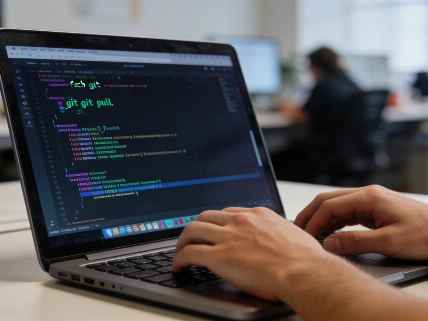
For potentially disruptive git commands—such as git add -A, commit -a, checkout, rebase, merge, stash, and force pushes to main—main sessions handled 72 out of 73 flagged actions. Subagents almost never touched the branch or index unless specifically told to. This pattern shows a workflow where the main session manages version control and project state, while subagents stick to isolated, task-focused jobs.
Waiting Loops and Process Management
Most blocked subagent commands involved waiting for background jobs. Of 401 blocked subagent commands, 393 were polling loops waiting for a file or process to finish, making up about 98% of blocked subagent commands. Since the prompt cache expires after five minutes of inactivity, subagents polling longer often hit a cold cache and had to reload context. In this setup, a hook was already set to block these poll loops, stopping 364 of the 393 from running.
Process Kills and Session Interference
Subagents were not the main source of commands that killed other sessions' development servers. Only five such commands appeared—three from subagents and two from main sessions—which is too few to draw broad conclusions about process interference.
Understanding the Workflow Split
This division of labor fits practical programming education and development. Main sessions usually handle finalizing tasks, committing changes, switching branches, rebasing, and pushing updates. Subagents get more focused jobs, like running test suites or searching for symbols, and rarely interact with version control unless directly instructed. For learners and developers using Claude Code or similar tools, knowing this split can help design safer and more efficient workflows.
Anyone interested in checking their own command patterns can use the bulkhead scan tool from claude-bulkhead to analyze transcript data without sending information outside. To focus on subagent activity, copy the subagents folders to a separate directory and use the --path option. This lets users compare command execution between main sessions and subagents directly.
Limitations and Practical Considerations
The findings come from one developer's workflow and machine. The analysis reads only the command text, so actions hidden in scripts or aliases aren’t counted. Session activity is pieced together from transcript timestamps, which may include idle sessions. Subagents share their parent session's identity, making it hard for rules to tell them apart at runtime. The split described here is based on transcript folder structure, not runtime hooks. The reported difference between planning-oriented primary sessions and task-oriented subagents is an observation from this dataset, not a documented product guarantee. Variables like the number of sessions, repositories, users, programming languages, permission modes, or project types are not detailed and could influence the command mix and Git behavior seen here.
No regulatory decision, government investigation, or official enforcement action has been found regarding Claude Code’s shell execution or Git operations. References to safety rules are not linked to a verified regulator, legal standard, or public compliance regime, and it’s not clear if these rules are Anthropic product safeguards, local settings, organizational policies, or author-defined coding standards. The available evidence does not show a current product change, official Anthropic response, or confirmed industry-wide effect from the reported workflow. The findings reflect an individual observational dataset whose methods and headline percentages need further verification. For more on how reusable templates and code refactoring affect developer tools, see the earlier breakdown.
Educators and learners looking to add coding automation and parallelization to their curriculum or workflow can use the division of tasks between main sessions and subagents to guide safer and more effective practices. While this analysis centers on a specific tool and dataset, the broader idea of assigning high-risk operations to primary sessions and routine tasks to subagents may help in designing educational exercises and managing collaborative coding environments.